Recherche
There are search functions on both the administrative and public sides of Omeka S installations and sites.
Interface d’administration
Recherche simple
There is a search field near the top of the left-hand menu, just underneath the user information. This search field works as a keyword search across all the properties of the resources.
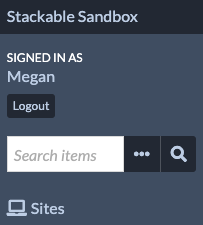
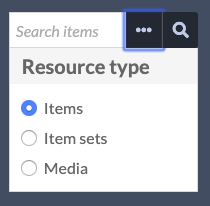
By default, this search operates on items in your installation. However, you can use the ellipsis (three dots) to open a menu and change the resource type being searched, selecting from Items, Item Sets, or Media.
Recherche avancée de contenus
Advanced search for items only is available on the Items page, from the « Advanced Search » link above the table of items.

La recherche avancée se charge sur une nouvelle page et comporte les options suivantes:
Search full-text: runs a full-text search on all of the text for every item in the installation.
Search by value: search for a term or phrase which you enter.
Le premier sélecteur vous permet de spécifier une propriété à rechercher.
Le second sélecteur vous permet de définir la relation entre la propriété et la valeur. Les options sont:
est exactement,
n’est pas exactement,
contient,
ne contient pas,
est la ressource avec ID,
n’est pas la ressource avec ID,
a une valeur quelconque (il y a quelque chose dans la propriété), et
n’a pas de valeurs.
Finally, there is a text field for you to enter the value you want the property to have. To find a resource ID, go to the resource and look at the URL in your browser’s address bar. The numbers at the end of the URL are the resource ID.
Search by class: select a class by which to search from the dropdown menu.
Search by template: select a resource template from the dropdown. Templates are arranged by owner, then alphabetically.
Search by item set: Select whether the intended results are included in or excluded from the given item set. Pick an item set from the dropdown, or type to search. You can add multiple parameters; these will narrow the search (i.e., return all items that are not in set X AND also not in set Y; all items that are in set X AND also in set Y; all items that are in set X AND also not in set Y).
Search by site: select a site from a dropdown of sites in the installation. Note that you can only search for items from one site at a time.
Search by media presence: select whether the results have media or do not have media.
Search by owner: select a user from a dropdown of users in the installation.
Search by visibility: select whether the results are public or private items.
Search by ID: enter a specific item identifier value, or a list of identifiers separated by commas (for example, « 1, 5, 9, 12, 43, 44, 45 »). Only works for exact matches, not with wildcards or ranges.
You can also select how to order your search results.
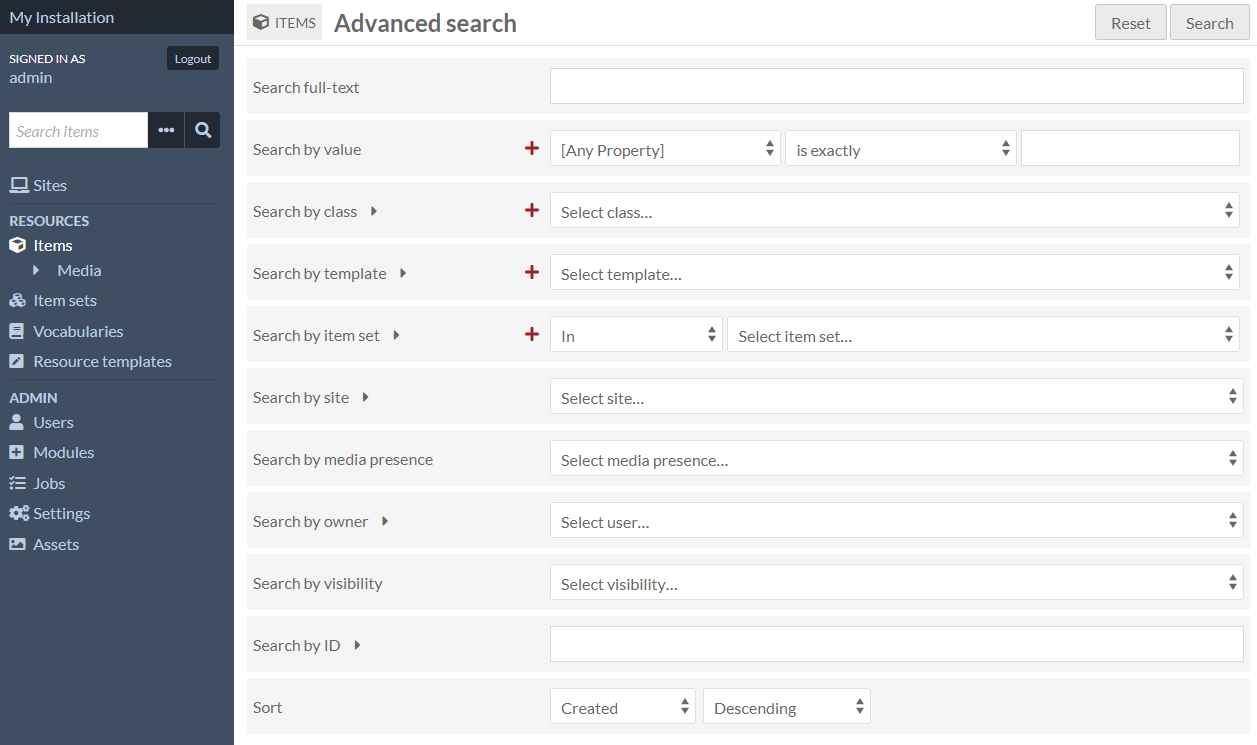
Other search fields may be introduced with modules that add new metadata fields to your items.
Searches by value, class, template, and item set allow you to search by more than one input - use the large red plus-sign icons to add more parameters. These search terms build - searching for two item sets will return all items in either item set, rather than only those items which are in both. You can remove those searches using the red trash can icon to the right of the lines.
Vous pouvez réinitialiser vos termes de recherche à tout moment en utilisant le bouton « Réinitialiser » situé dans le coin supérieur droit, à côté du bouton « Rechercher ».
Recherche avancée de Médias
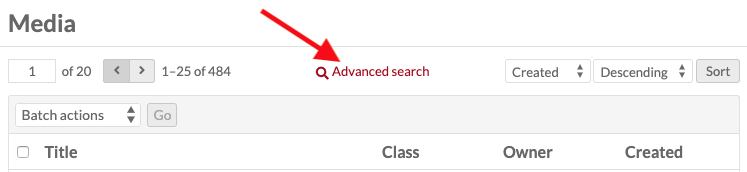
Advanced search for media is accessed from the Media browse page, from the Advanced Search link above the table of item sets.
La recherche avancée se charge sur une nouvelle page et comporte les options suivantes:
Search full-text: runs a full-text search on all of the text for every media resource in the installation.
Search by value: search for a term or phrase which you enter
Le premier sélecteur vous permet de spécifier une propriété à rechercher.
Le second sélecteur vous permet de définir la relation entre la propriété et la valeur. Les options sont:
est exactement,
n’est pas exactement,
contient,
ne contient pas,
est la ressource avec ID,
n’est pas la ressource avec ID,
a une valeur quelconque (il y a quelque chose dans la propriété), et
n’a pas de valeurs.
Enfin, un champ de texte vous permet de saisir la valeur que vous souhaitez attribuer à la propriété.
To find a resource ID, go to the resource and look at the URL in your browser’s address bar. The numbers at the end of the URL are the resource ID.
Recherche par valeur: rechercher un terme ou une phrase que vous entrez.
Search by class: select a class by which to search from the dropdown menu.
Search by template: select a resource template from the dropdown. Templates are arranged by owner, then alphabetically.
Search by MIME type: you can specify the media type for the search. For example, to find all tiff images, you would enter
image/tiff.Search by owner: select a user from a dropdown of users in the installation.
Search by visibility: select whether the results are public or private media.
Search by ID: enter a specific media identifier value, or a list of identifiers separated by commas (for example, « 1, 5, 9, 12, 43, 44, 45 »). Only works for exact matches, not with wildcards or ranges.
You can also select how to order your search results.
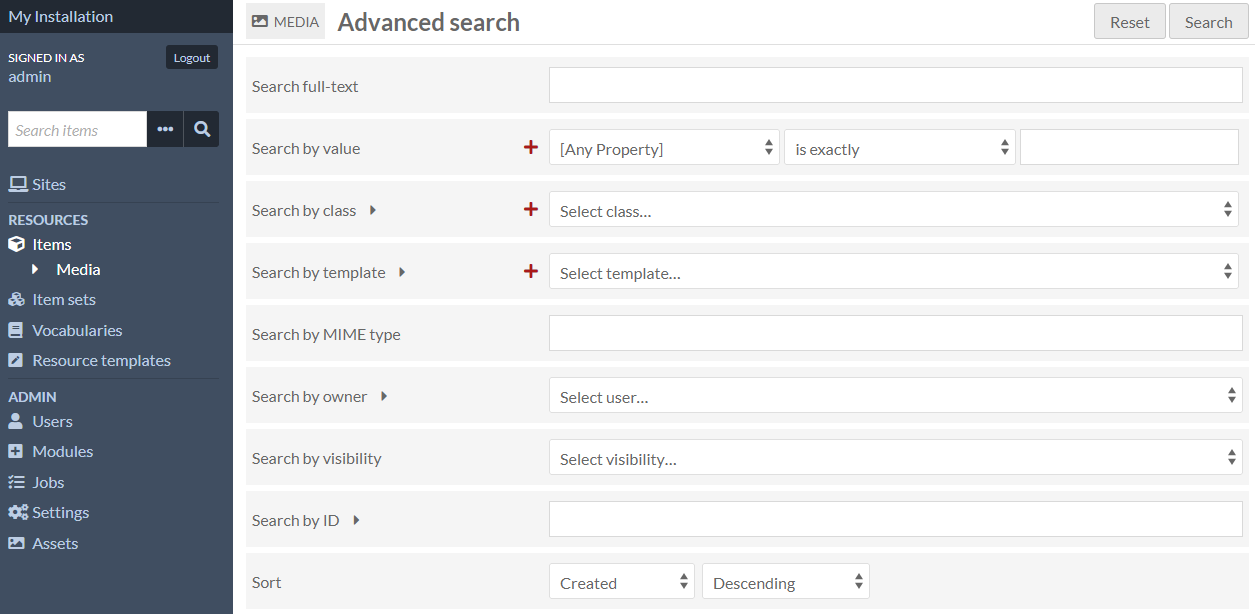
Searches by value, class, and template allow you to search by more than one input - use the large red plus-sign icons to search with more than one value or item set. These search terms build - searching for two templates will return all media using either template.
Vous pouvez supprimer les recherches de valeurs et d’ensembles d’articles à l’aide de l’icône de corbeille rouge située à droite de ces options de recherche.
Vous pouvez réinitialiser vos termes de recherche à tout moment en utilisant le bouton « Réinitialiser » situé dans le coin supérieur droit, à côté du bouton « Rechercher ».
Recherche avancée dans les collections
Advanced search for item sets only is accessed on the Item Sets page, from the « Advanced Search » link above the table of item sets.

La recherche avancée se charge sur une nouvelle page et comporte les options suivantes:
Search full-text: runs a full-text search on all of the text for every item set in the installation.
Search by value: search for a term or phrase which you enter
Le premier sélecteur vous permet de spécifier une propriété à rechercher.
Le second sélecteur vous permet de définir la relation entre la propriété et la valeur. Les options sont:
est exactement,
n’est pas exactement,
contient,
ne contient pas,
est la ressource avec ID,
n’est pas la ressource avec ID,
a une valeur quelconque (il y a quelque chose dans la propriété), et
n’a pas de valeurs.
Enfin, un champ de texte vous permet de saisir la valeur que vous souhaitez attribuer à la propriété.
To find a resource ID, go to the resource and look at the URL in your browser’s address bar. The numbers at the end of the URL are the resource ID.
Recherche par valeur: rechercher un terme ou une phrase que vous entrez.
Search by class: select a class by which to search from the dropdown menu
Search by template: select a resource template from the dropdown. Templates are arranged by owner, then alphabetically.
Search by owner: select a user from a dropdown of users in the installation.
Search by visibility: select whether the results are public or private item sets.
Search by ID: enter a specific item set identifier value, or a list of identifiers separated by commas (for example, « 1, 2, 5, 9 »). Only works for exact matches, not with wildcards or ranges.
You can also select how to order your search results.
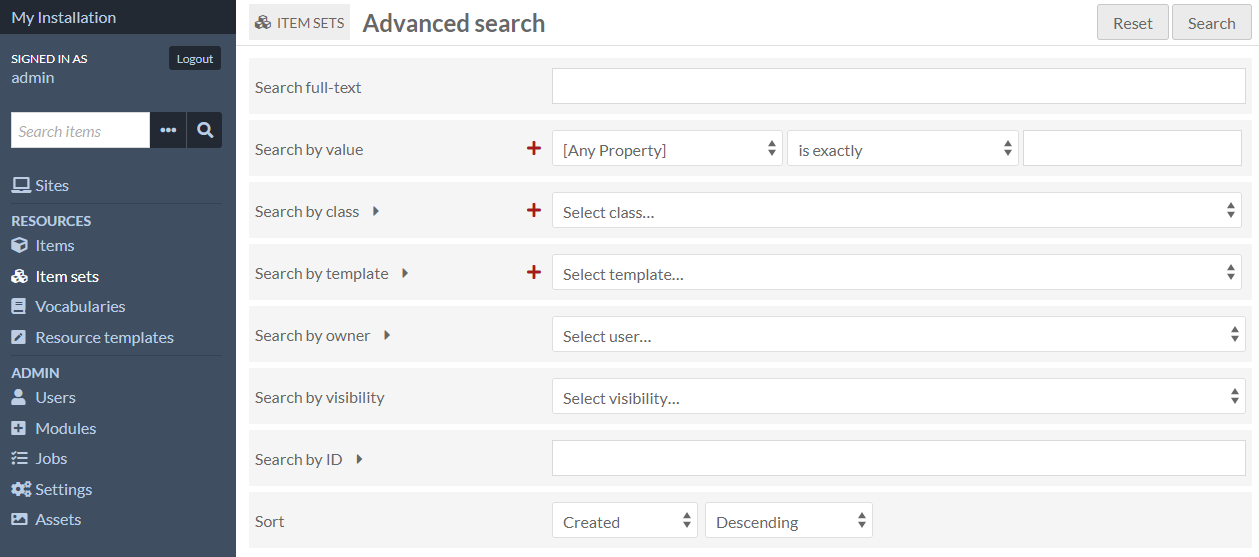
Searches by value, class, and template allow you to search by more than one input - use the large red plus-sign icons to search with more than one value or item set. These search terms build - searching for two templates will return all media using either template.
Other search fields may be introduced with modules that add new metadata fields to your item sets.
Vous pouvez réinitialiser vos termes de recherche à tout moment en utilisant le bouton « Réinitialiser » situé dans le coin supérieur droit, à côté du bouton « Rechercher ».
Vues publiques
The exact appearance of the search interface will vary based on the theme selected. The way search works is consistent regardless of theme.
Recherche simple
Il y a une barre de recherche à côté du menu de chaque site. Dans le thème par défaut, elle est située juste dessous le menu principal, comme montré dans l’image ci-dessous.
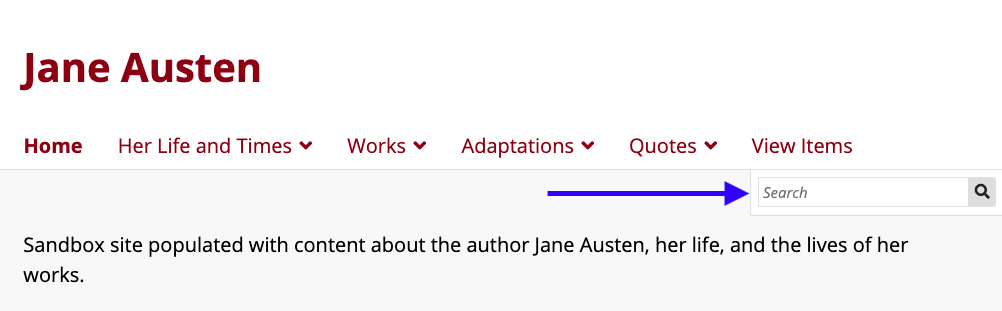
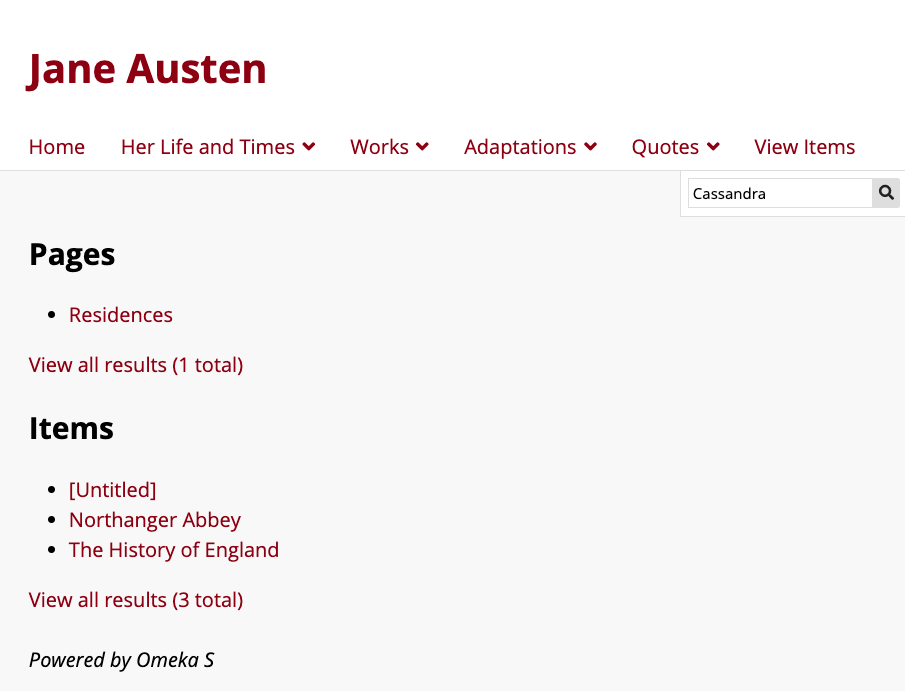
Cette barre de recherche fonctionne comme une recherche en texte intégral pour l’ensemble du site. Il recherchera tous les contenus, collections et supports ainsi que le contenu de chaque page publiée sur le site. Les résultats sont triés par type, en regroupant les résultats de page et les résultats d’élément ou de jeu d’éléments. Depuis la page de résultats initiale, vous pouvez afficher tous les résultats pour ce type (page, élément) à l’aide du lien « Afficher tous les résultats ».
Recherche avancée de contenus
Si cette page est accessible, les visiteurs du site peuvent accéder à une recherche avancée de contenus à partir de la page « Parcourir » (ou « Parcourir les contenus selon les thèmes). Il existe un lien pour la recherche avancée entre la pagination et les options de tri en haut du tableau de navigation des articles.
You can control advanced search settings on a site-by-site basis, from the Site Settings tab. This will include advanced search fields introduced by modules.
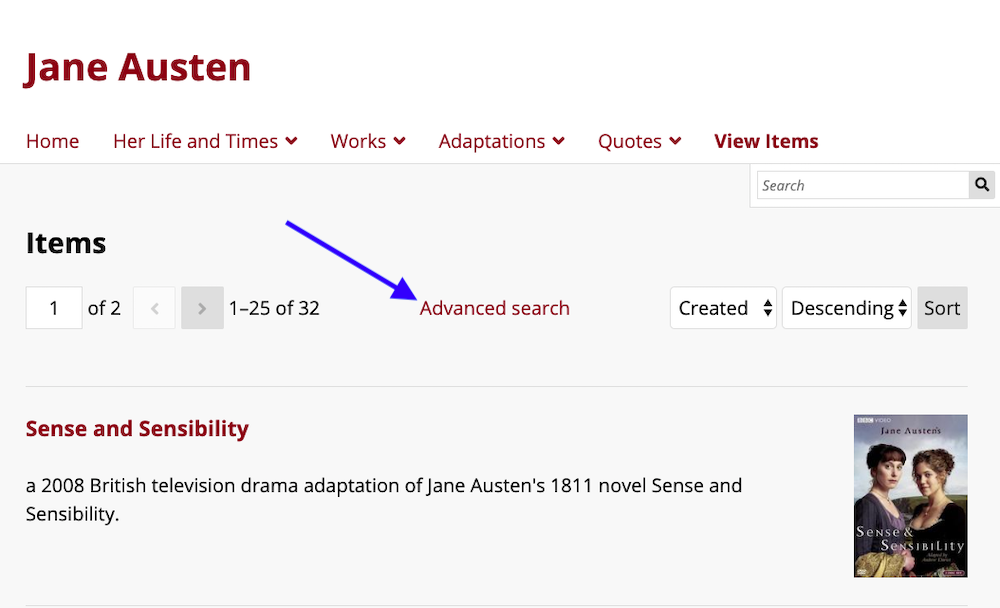
En cliquant dessus, une nouvelle page contenant quatre options de recherche est chargée:
Search full-text: runs a full-text search on all of the text for every item in the site.
Search by value: search for a term or phrase using multiple options.
Le premier sélecteur vous permet de spécifier une propriété à rechercher.
Note that if you have have the site set to restrict search to templates, this will only display the properties used by those templates.
Le second sélecteur vous permet de définir la relation entre la propriété et la valeur. Les options sont:
est exactement,
n’est pas exactement,
contient,
ne contient pas,
est la ressource avec ID,
n’est pas la ressource avec ID,
a une valeur quelconque (il y a quelque chose dans la propriété), et
n’a pas de valeurs.
Enfin, un champ de texte vous permet de saisir la valeur que vous souhaitez attribuer à la propriété.
To find a resource ID, go to the resource and look at the URL in your browser’s address bar. The numbers at the end of the URL are the resource ID.
Search by class: select one or more classes by which to search from the dropdown menu.
Search by item set: select one or more item sets from the dropdown menu. The results will display the items inside one or more of the sets you chose.
Search by media presence: select whether the results have media or do not have media.
Search by ID: enter one or more item identifier values. Users can supply a list of identifiers separated by commas (for example, « 1, 5, 9, 12, 43, 44, 45 »). Only works for exact matches, not with wildcards or ranges.
Users can also select how to order their search results.
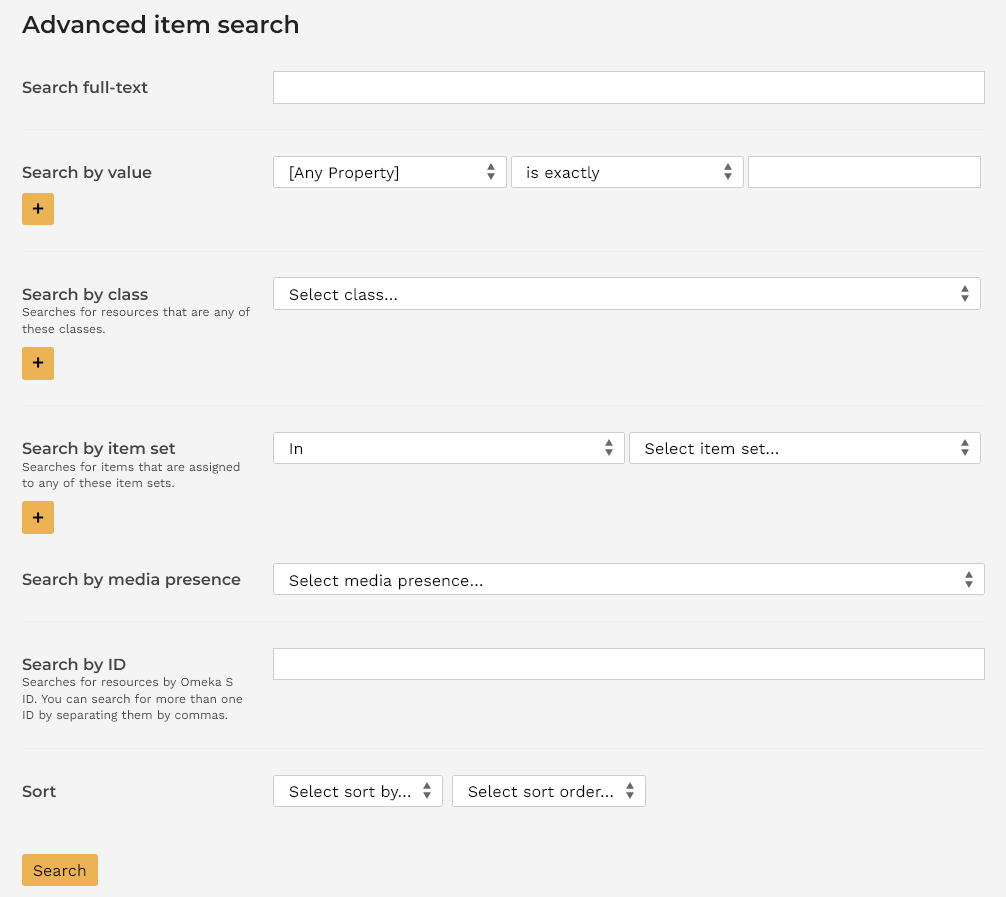
Searches by value, class, and item set allow a visitor to search by more than one input; they can use the « Add new » buttons (plus sign) to search with more than one search term. These search terms build - searching for two item sets will return all items in either item set, rather than only those items which are in both.
Site visitors can remove value, class, and item set searches using the red trash can icon to the right of those search options.
Recherche avancée de collections
Site visitors can access an advanced item set search from the Browse Items Sets page, if you have that page accessible. There is a link for Advanced search near the top of the Item Sets page.
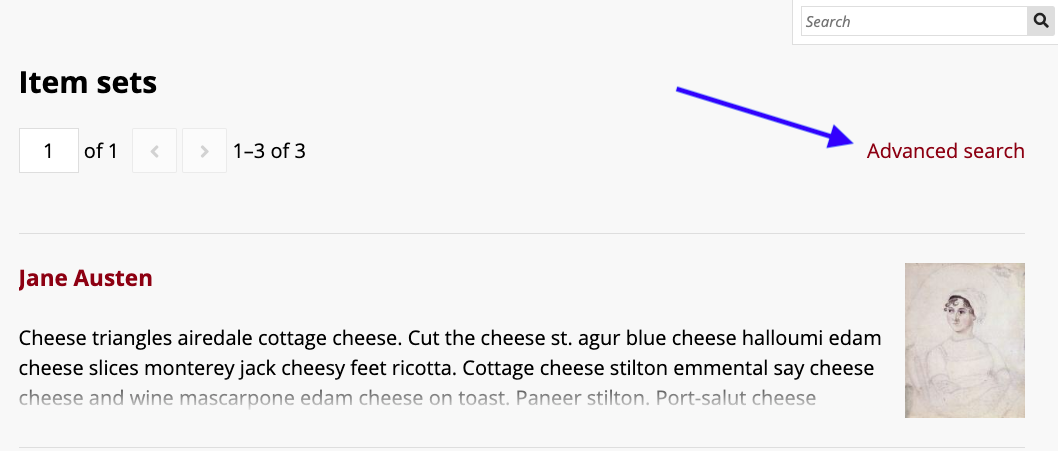
Cliquer sur le lien de la recherche avancée charge une nouvelle page avec trois options de recherche:
Search full-text: runs a full-text search on all of the text for every item set in the site.
Search by value: search for a term or phrase using multiple options.
Le premier sélecteur vous permet de spécifier une propriété à rechercher.
Note that if you have have the site set to restrict search to templates, this will only display the properties used by those templates.
Le second sélecteur vous permet de définir la relation entre la propriété et la valeur. Les options sont:
est exactement,
n’est pas exactement,
contient,
ne contient pas,
est la ressource avec ID,
n’est pas la ressource avec ID,
a une valeur quelconque (il y a quelque chose dans la propriété), et
n’a pas de valeurs.
Enfin, un champ de texte vous permet de saisir la valeur que vous souhaitez attribuer à la propriété.
To find a resource ID, go to the resource and look at the URL in your browser’s address bar. The numbers at the end of the URL are the resource ID.
Search by class: select one or more classes by which to search from the dropdown menu.
Search by ID: enter a specific item set identifier value, or a list of identifiers separated by commas (for example, « 1, 2, 5, 9 »). Only works for exact matches, not with wildcards or ranges.
Users can also select how to order their search results.
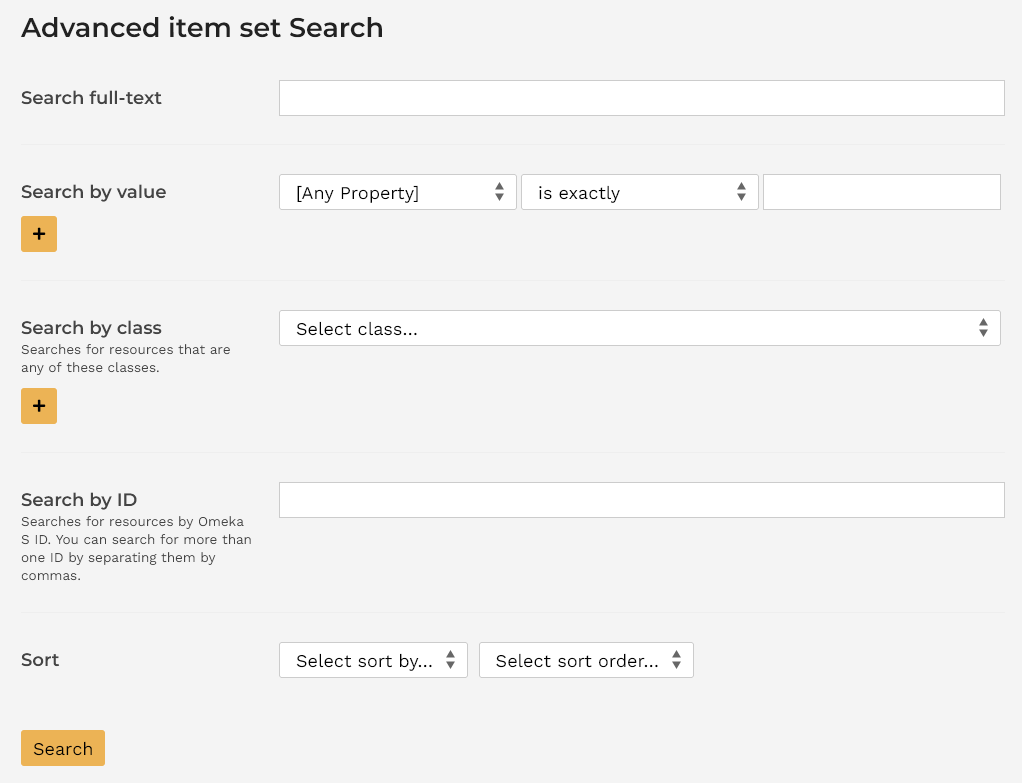
Searches by value and class allow a visitor to search by more than one input; they can use the « Add new » buttons (plus sign) to search with more than one search term. These search terms build - searching for two classes will return all item sets which have either class, rather than only item sets that have both classes.
Les visiteurs du site peuvent supprimer une valeur et les recherches par collections en utilisant l’icône de poubelle rouge à droite de ces options de recherche.
You can modify these default sorting orders for the public pages of sites in Site settings, and for the administrative pages on a user-by-user basis in User settings.
Sorting
All of the public and administrative browsing views and all search results can be ordered in a number of ways. To the top right of every browse or result table is two dropdowns and a « Sort » button. One allows you to select a field, and the other determines the order in which to sort them.
The default way most resources are ordered is by the date the resource was created (Created), in reverse chronological order (Descending). This is true of items, media, and item sets. Sites, vocabularies, and resource templates are default ordered by Title or Label Ascending. Users are default ordered by Email Ascending.
Ascending means A-Z alphabetically for text fields, earliest to latest for date-formatted fields such as Created (meaning the internal item creation date and time) and Modified (the date and time the item was last modified), and smallest to greatest for numbers such as Identifiers. Note that some fields (such as Dublin Core Date) may be text-formatted to include information such as « circa » and will sort alphabetically rather than as numbers (such as « 1800-01-01 ») or dates. You may be using modules such as Numeric Data Types that can modify these settings.
In both ascending and descending orders, empty fields will come at the end.