Sharing
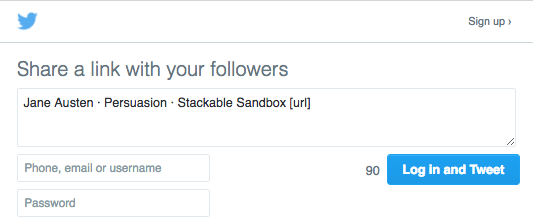
The Sharing module allows you to add buttons to site pages which visitors can use to share and embed content from your site on social media or via email. Sharing also includes Open Graph and oEmbed meta elements in the <head> of each item page on your site, so that preview cards will display when shared on social media.
Actuellement, le module Sharing prend en charge les options suivantes :
Facebook
Twitter
Tumblr
Pinterest
E-mail
Codes d’incorporation.
Once Sharing has been installed and activated for an Omeka S install, it is available for all sites on the installation.
Configuration
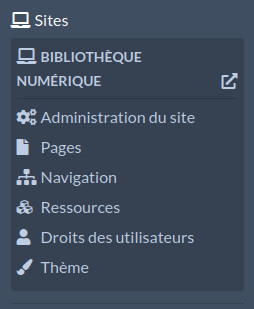
Sharing settings are configured on a site-by-site basis. Go to a site and click through to the Site Settings. There should be a section labelled « Sharing » with two options:
Activer le module Sharing pour ces méthodes : donne une série de cases à cocher, une pour chaque service ou option (Facebook, Twitter, etc.).
Positionnement des boutons de partage sur la page : définit le placement des boutons de partage soit en haut du contenu (sous la barre navigation et l’en-tête de la page), soit en bas (juste au-dessus du pied de page).

Assurez-vous que les cases appropriées sont cochées pour votre site. Vous pouvez décocher toutes les cases pour désactiver le partage pour votre site. Veillez à enregistrer vos modifications.
Embed elements
The module will send Open Graph and oEmbed meta tags regardless of your site settings.
For Open Graph, this will look something like:
<meta property="og:site_name" content="My Omeka S Site">
Tags may include:
og:description, reflecting thedcterms:descriptioncontent of any resource if applicable, or the field used for the resource descriptionog:title, reflectingdcterms:titleor the field used for the resource titleog:image, either the primary media or the default thumbnail based on the media typeog:type, alwayscontent="website"at this timeog:url, the current page’s URL.
These fields are not sent on item set or media pages. Multimedia (audio and video) will not be sent, only a thumbnail image.
oEmbed will appear as a single tag in the <head> of every Omeka S public page, including items, media, and search and browse pages:
<link rel="alternate" type="application/json+oembed" title="[Your page's title here]">
This element will contain an href value that reflects the oEmbed API for your site, found at yourInstallationURLhere/oembed, and the URL of the specific page of your site, something like yourInstallationURLhere/s/site-one/item/item1.
Côté public
Les icônes de partage pour les services et options activés s’afficheront sur les pages que vous créez, ainsi que sur les pages individuelles des articles et pages de votre site.
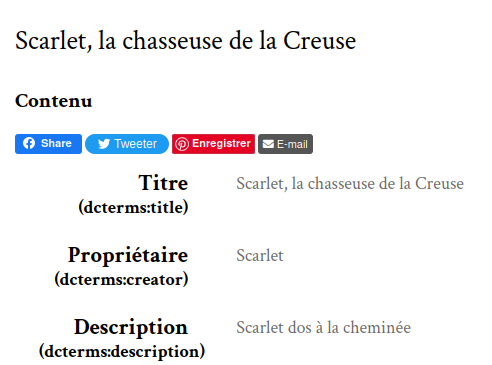
Par défaut, le module partagera le titre de la page, le nom du site et le nom de l’installation.