Page d’accueil
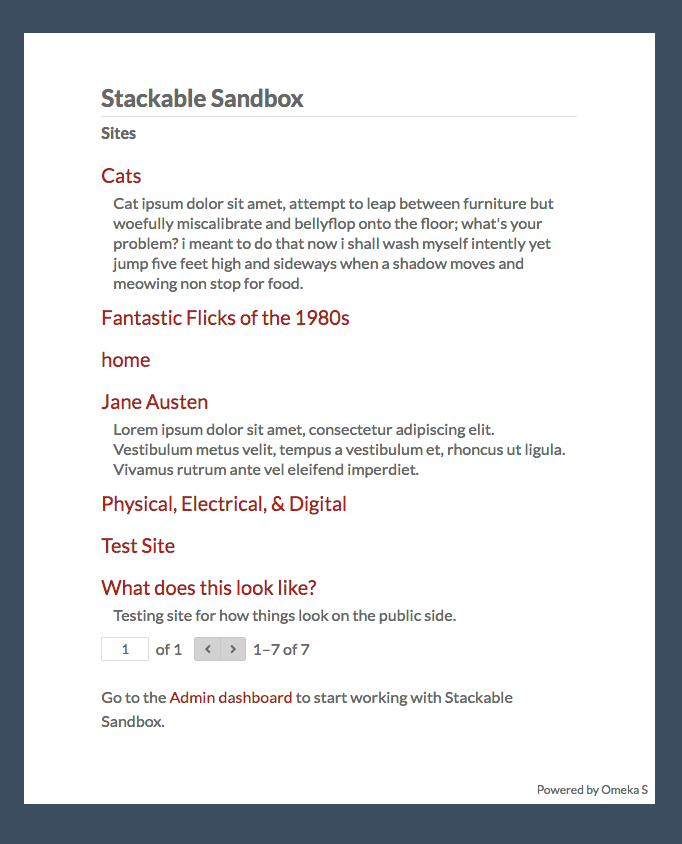
Omeka S allows users to build multiple distinct sites within one installation that are not necessarily connected to each other. Each installation has, by default, a front page that lists all of the sites in the installation. This page is accessed by going to the main URL of your Omeka S installation; if your admin dashboard was at yourdomain.org/omekas/admin, then you would find this page at yourdomain.org/omekas/.
The page displays all sites that a user has permission to see, along with the sites” summaries & thumbnails if they exist. If someone is not logged in, they will only see public sites. A logged-in Global Administrator, by contrast, would see all existing sites on the installation.
If you want this index page to be hidden from site visitors, a Global Administrator can select one public site on your installation to which visitors will be redirected when they navigate to your base URL (yourdomain.net/omekas/). To do so:
Go to Settings (the gear icon), then the General tab.
Under the « Default site » option, use the dropdown menu to select one of your current sites.
To remove a selected site and revert back to the index page, click the small « X » on the right side of the dropdown.
You can customize a branded site index for your installation by creating a site, creating a page, and then using the « List of sites » page block to generate a list of all the sites in the installation. Then, use the « Default site » option to point to that site.